
The Acer Aspire One has certainly taken the world by storm, proving itself to be the first viable competitor to the dominance established by Asus and their Eee PC. The so called “netbook” market has also exploded, less than year after Asus introduced the first Eee PCs. Netbooks, also known as subnotebooks, are low-cost laptops designed primarly for Internet usage and other tasks that don’t require lots of power.

It’s been some time since I first unboxed the Aspire One and then got a 6-cell version to test and compare with. The 6-cell version will be the one I am reviewing since it’s the one I’m currently using.
Specifications
The Aspire One is slouch when it comes to hardware. Like most current-generation netbooks it uses the Intel Atom N270 CPU.
- Processor: Intel Atom processor N270 (1.60 GHz, 533 MHz FSB, 512 KB L2 cache)
- Chipset: Mobile Intel 945GSE Express Chipset (DDR2 400/533 MHz)/Mobile Intel 82801GBM Chipset
- Operating System: Windows XP Home
- RAM: 1 GB DDR2 533 MHz SDRAM Single Channel (512 MB onboard, 512 MB in SODIMM slot)
- HDD: 2.5″ 9.5mm 120 GB 5400 RPM
- Expansion: SD™ Card reader, Multi-in-1 card reader: Supporting Secure Digital™ (SD) Card, MultiMediaCard (MMC), Reduced-Size Multimedia Card (RS-MMC), Memory Stick® (MS), Memory Stick PRO™ (MS PRO), xD-Picture Card™ (xD)
- Display: 8.9″ WSVGA high-brightness (typical 180-nit) Acer CrystalBrite™ TFT LCD, 1024 x 600 resolution, LED backlight, 262K colours
- Audio: Two built-in stereo speakers, built-in digital microphone
- Webcam: Integrated Acer Crystal Eye webcam, supporting 0.3 megapixel resolution
- Networking: Acer InviLink™ 802.11b/g Wi-Fi, 10/100 Mbps Ethernet
- Ports: 3xUSB 2.0, VGA, Headphone/Microphone, RJ-45, SD Card and Multi-in-1 card reader
- Battery: 5200 mAh 6-cell Li-Ion
- Power Supply: 30 W adapter with separate power cord
- Keyboard: 84-key (US version?) keyboard with 1.6 mm (minimum) key travel
- Weight: 1.26 kg (2.78 lbs.) for SKUs with hard disk drive and 6-cell battery pack
- Dimensions: 249 (W) x 195 (D) x 36 (H) mm (9.8 x 6.7 x 1.42 inches) for SKUs with hard disk drive and 6-cell battery pack
Reference: Acer Aspire One User Forums

What’s nice is that the Acer Aspire One (AAO) comes with a level of hardware that has typically been reserved for netbooks costing $500+. I paid $430 for my version several weeks ago, and the price drops coupled with the introduction of a new 160 GB/6-cell model will push the price down even further. In my opinion, this simply makes the AAO the best value for the money.
I’ve put question marks (?) beside specifications that I could not confirm. For example, the 3-cell battery is listed at 2200 mAh everywhere, but the 6-cell has been rated differently based on my searches. Assuming double the capacity would not be a bad approximation. Additionally, I’m fairly certain that the 84-key keyboard applies only to versions with US-keyboards, since the Canadian versions come with a bilingual/international keyboard.
Update: 6-cell capacity is 5200 mAh
My 6-cell battery is indeed a 5200 mAh unit, but I’ve seen other 6-cell batteries available online, possibly from third-party suppliers, that offer the higher capacity of 6600 mAh.
The weight of the AAO is very acceptable. The 3-cell weighs about 995 g (2.19 lbs) and the 6-cell version about 1.26 kg. (2.78 lbs) While that represents a weight increase of close to 27% for the 6-cell version, it did not feel like it was that much more. Keep in mind the absolute increase in weight of the 6-cell over the 3-cell is only 265 g, which is less than a can of pop. Thus, either version was easy to carry and you won’t need a huge weight-bearing rucksack to carry it around. In fact, I use a MEC Small Carry All to port it around and have found it fits everything, including the AC adapter/power cord and my Logitech VX Revolution mouse, quite nicely.
Design and Build Quality
While look does not matter much in the long run, many people would still like a device that looks stylish rather than looking like it came through a time machine from the past. The AAO manages to look fairly decent. Closed, both the white and blue versions look very sleek with their glossy finish. Being less than 1.5″ thick also helps.
When open, there is a gap between the screen and the body that may bother some, but overall it’s not a big deal. Both the the white and blue versions have screens with big black glossy borders. (about 1″ thick borders) For the blue version, this colour fits in nicely, but for the white version it is too much of a contrast and doesn’t improve the look. Overall, the AAO does a good job of not looking like a toy, though there’s some definite room for improvement.
One slight problem is that it’s tricky to open the screen of the AAO using only one hand. There is no latch; instead the hinge is spring-loaded and snaps shut. To open the screen you must wedge your fingers into the small gap between the screen and body, then hold the body down with one hand while you push the screen back with the other. This is because the AAO is so light (or the hinge so tight) that it’ll simply lift off the surface its resting on if you try to open the screen without holding the base down. I usually ended up having to grip the screen from both the top and bottom (near the gap between the hinges) to open it.
The AAO does feel solid and the build quality is definitely top-notch. I didn’t have any worry about thinks breaking, snapping or coming loose on the AAO.
Keyboard

With one of the distinguishing features of a netbook/subnotebook being its small size the usability of the keyboard/trackpad becomes a major issue. Many people do not even like regular-size laptops because of the differences in layout. With the small size of netbooks, a full-sized normal laptop keyboard is just not possible. With this in mind, it’s important to look for a keyboard that makes the right tradeoffs, sacrificing in areas that you can afford to lose out on, while keeping the major pieces intact.
For a keyboard, this means preserving the size of the most-used keys and most importantly, keeping a normal/traditional layout. I simply cannot deal with a non-standard layout as having to re-learn and switch between layouts is just a pain.
In this respect, the AAO succeeds as the keyboard is decently sized and keeps a fairly sane/normal layout. I’ve seen the key size specified as either 89% or 95% of “full-size”, but I never bothered to pull out the calipers to confirm or deny either of these. I will say that typing on the AAO was very easy to do, as I didn’t have any sort of “adjustment period” or initial awkwardness. Typing felt very natural and did not feel cramped. I’ve tried the original Asus Eee PC (now known as the 700-series) and found the keyboard to be just too tiny – it felt bad right away, and I was constantly hitting more than one key while typing. I had no such issues with the Aspire One. Furthermore, the keyboard was firm and responsive; it did not feel squishy or have too much flex to it and was on-par with other laptop keyboards in this respect.
One other thing to note that only applies to the Canadian version of the AAO is the bilingual keyboard layout, as you’ll no doubt notice in the keyboard pictures. As I noted during my initial unboxing, the “bilingual” layout makes two alterations: The Left-Shift key is halved to make room for the Backslash/Pipe key and the Enter key is an inverted L-shape that takes up two rows. (There is also another Backslash/Pipe key next to it)
I’m not exactly sure why Acer decided to cripple the Canadian version with this weird keyboard layout. It might have something to do with language laws and having to support both English and French in the market, but even that doesn’t make sense to me since it doesn’t appear to be easier to type French characters on this weird layout. In my opinion, Acer should’ve given the customer the option between a regular (US) keyboard layout and a bilingual one. This layout took a little time getting used to, and initially I was mistyping, especially with the shorter Left-Shift and Enter key being further away from the “home” position. Typing Windows-style paths is still a pain thanks to the weird location of the Backslash key. However, some of these problems can be solved by remapping keys using software like SharpKeys.
This is a fairly major issue with the Canadian Aspire One, as many people have expression discontent on retailer websites like NCIX; I almost did not get my AAO because of this. However, in Acer’s defence, most laptops in Canada are now unfortunately being sold with this weird layout.
Overall, I was very impressed with the keyboard, especially since I knew that other netbooks had done so poorly before. As a testament to its usability, a majority of this review was written on my Aspire One’s keyboard.
TrackPad

The trackpad offers a stark contrast to the keyboard as it’s not that great. Because the AAO is wider than the Eee PC 901 it was able to fit a larger, more usable keyboard. However, the AAO is about the same depth as the the Eee PC 901, so this results in much less area for the trackpad. (Thanks to CNET UK for the comparison photos)
Acer thus had to compromise. With space at a premium, the right and left buttons were relocated to flank the touchpad area instead of being below as is the norm. This results in a weird layout that most won’t find to be natural. I did not find the trackpad to be that bad compared to other laptop trackpads, though this may be because I despise trackpads so much that it’s hard to dislike this one even more. I will admit that the button placement was quite an unfortunate trade-off, however this doesn’t affect me that much since I almost always use a mouse when I can.
Screen

Acer chose to use a fairly standard 8.9″ LED-backlit 1024×600 screen. This type of screen is featured on most other current netbooks and is a huge improvement over the 800×480 resolution of first-generation netbooks. At 1024×600, it’s a step down from my old Inspiron 5100, which had a 15″ non-widescreen at 1024×768. However, it’s also much more vibrant thanks to the LED backlighting, which also reduces power consumption.
The screen has a glossy finish, which extends to the rather large black border around it, which is around 1″ thick at the top and sides. Glossy screens tend to make colours more vibrant but can also cause problems with glare if there are bright lights directly behind you. However, the screen was very sharp and attractive and I did not have any readability problems.


Like most laptop screens, the AAO’s offered good readability at different horizontal angles, but did not fair as well at vertical angles. With the screen tilted too far forward, colours got washed out, while tilting the screen back dramatically increased the contrast.
A slightly larger screen would’ve been nice since the border around it is so large, but 8.9″ is probably a pretty common size OEMs and the next common size up was probably too large.
Storage
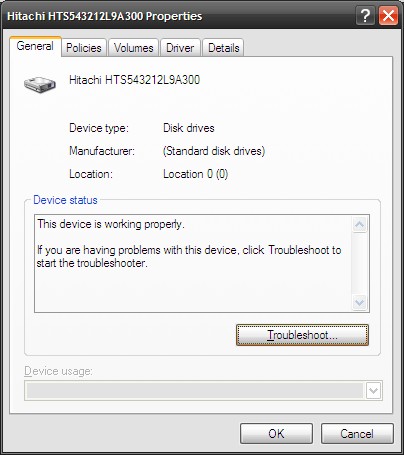
The Aspire One I bought came with a Hitachi 120 GB 2.5″ SATA 3 Gb/s HDD. (Model number HTS543212L9A300) The full specifications of this drive can be found at Hitachi’s site. Some other reports have stated the AAO may also come with a Seagate 120 GB HDD; it’s likely Acer is using multiple suppliers, as is the norm.
Initially, Acer had said the AAO would come with an 80 GB HDD, but this changed just before release to the current 120 GB model likely because of price drops; you may still see references to the old 80 GB drive floating around, but I believe these to be erroneous. Since then, a 160 GB version has been announced.
Some Linux versions come with an 8 GB SSD; this SSD proved to be problematic with Windows XP, as many users have noticed when trying to install Windows XP onto this version of the AAO. For this reason, Acer has decided not to release a SSD version with Windows XP. (Though there are Linux HDD versions)

The drive performed fairly well as far as laptop drives go, posting a 47.0 MB/s average transfer rate and a 17.3 ms access time. These obviously cannot compare to a desktop drive, but keep in mind for most uses of the AAO this sort of performance is more than enough. A cold boot usually took between 1:15-1:20 (mins:secs), but this was after most “bloatware” had been removed. (More on that soon)
Expansion Ports
The AAO includes two memory card readers. One is a multi-card reader typical of most laptops (supporting most any memory card type on the planet) and the other is strictly for SD cards. The latter drive was intended to be used for the 8 GB SSD Linux version, where space was at a premium; by inserting an SD card one could increase the storage space as then the SD card’s capacity would be transparently added to the overall system storage space. This obviously isn’t necessary for the HDD version.


Beyond that, you get a generous three USB ports; two are on the right and the third is on the left side. Also on the right side are the speaker/mic mini-stereo jacks and a lock slot. The left side also features the DC power in, VGA out and a 10/100 Ethernet (RJ45) jack. A small vent for internal airflow can also be seen here.
Included Software (Windows XP version)
The AAO comes without Windows XP installed; when you first boot up you’ll be prompted to select either the French or English version to install. (This is Canada, after all) Since the AAO has no optical drive, you may be wondering where the OS is installed from. The answer is that the 120 GB HDD has been partitioned so that there is a ~6 GB hidden “Recovery” partition that the AAO uses during installation or a reset to factory defaults. The bootloader copies over the installation/recovery files from here onto the main partition and runs the usual Windows setup automatically; there’s very little you have to do.


This process took about 10 minutes, after which the AAO is booted up into a normal “fresh” Windows installation. I say “fresh” because there is some “bloatware” installed that you’ll want to remove to optimize performance, especially with the somewhat limited resources of the AAO.
Acer included the following software that I removed: MS Office 2007 Trial, MS Works, McAfee SecurityCenter (Antivirus and Personal Firewall) 60-day trial and WinDVD. All of these are completely unnecessary but many laptop manufacturers include this nowadays so I cannot uniquely fault Acer.
There’s no need for MS Office 2007 and certainly not MS Works when older versions of Office work fine; and, of course, there’s the free OpenOffice which should work well for 95% of what most people do. The McAfee software felt slow, so I switched over to AVG Free 7.5. (Kaspersky is a good paid solution as well) I have no idea why WinDVD was installed, as not only is there no optical drive to use it with, but the version was extremely old and dated to something like 2003.
There may be some other software that you can remove if you want, but rest assured you’ll spending at least a few minutes removing the unnecessary software that comes preinstalled.
Wireless and Networking
The AAO comes with a fairly standard 802.11b/g adapter based on a Atheros chipset. It would’ve been nice to see a draft 802.11n adapter included, as this is proving to be quite a revolutionary improvement over previous standards. However, I can’t really complain since the price of the AAO is so low.
There have unfortunately been some issues reported with this wireless card. It appears that sometimes it mysteriously “disappears” from the Device Manager, usually after coming out of hibernate or standby mode. The solution to reboot to get the device to show up again, but that’s far from ideal. This may be a hardware or BIOS-related issue and there is a substantial discussion on this issue at the (unofficial) Acer Aspire One User Forums.
I have only experienced this issue once, but it was very annoying nonetheless. Hopefully Acer will release a BIOS update to correct it, as it appears to be somewhat widespread.
Webcam and Audio/Speakers
The speakers on the AAO are nothing to write home about. They don’t get very loud and even so, when maxed out there is noticeable distortion. This may be because they are on the underside. If you listen to music you’ll definitely want to use a pair of headphones or external speakers with the AAO, as the built-in ones leave much to be desired. They should be good enough for something like VoIP, though. The speaker-out and mic-in mini-stereo ports were acceptable. With a decent microphone you shouldn’t have any problems.


The webcam is only a 0.3 MP unit (640×480 resolution), but it performed very well in low-light/room-light conditions. It’ll be good for videochat using a program like Skype. There is also a built-in microphone positioned just to the left of the webcam. It does a decent job of picking up sound directly in front, but there was still some background noise. It’s obviously not as good as using a headset but should be decent enough for quick chats.
Performance
I had no trouble with the performance of the Aspire One during Internet use or general multimedia use. Launching browsers, including an extension-heavy Firefox 3.01, was fairly quick and browsing did not seem slow. Watching YouTube or using other Flash-based video players was very smooth and I did not notice any problems or stuttering. The 1.6 GHz Intel Atom N270 CPU and 1 GB of RAM was more than enough for these actions.
Additionally, watching DivX/Xvid videos at common resolutions presented no problems, even when the video was being streamed/played back from over the wireless connection. Watching DVDs (after making an image and mounting using virtual drive software) also worked great. (For a complete codec package, I suggest the latest-and-greatest ffdshow package. This has been the only set of codecs I’ve ever needed)
With this in mind, the Aspire One makes a great general-purpose machine, useful for 90% of what 90% of the people will do on a regular basis. To push the limits, I tried a few games, such as one of my old time favourites, Guild Wars. (Original debuted in 2005 – and I have all the expansions/campaigns since) Guild Wars worked fine even at the native resolution of 1024×600, albeit with most of the graphical settings turned down. This was necessary to preserve a decent frame rate during the action-sequences with lots of mobs and effects. Peggle, the great arcade game from PopCap Games, worked flawlessly, as did most old-school emulators such as ZSNES.
Don’t expect to play the latest or even last-generation games on it. You’ll likely have to go back to 2004/2005 to find 3D games that have a chance of running decently on the integrated GMA 950 graphics. There is a great discussion at the Aspire One User Forums about games on the AAO.
To further test the AAO beyond its boundaries I installed the latest version of Eclipse (Ganymede), my favourite IDE, on to the AAO. Eclipse is a great IDE with an awesome plugin system (similar to how extensions make Firefox great) but is notorious for being a resource hog. Eclipse took quite a while to load up, but once this was finished working in it was acceptable. Compiling Java source into bytecode was a little slow as well as this was most likely due to having only 1 GB of RAM and a single-core CPU. Again, the AAO is most definitely not designed for this but the fact that it’s possible is a testament to the amount of power you get for a $400 compact machine.
Battery Life

Comparison of 3-cell and 6-cell units
With the 3-cell version I was getting around between 2:30-2:40 (hrs:mins) of run time. This is unfortunately quite low and hampers the usefulness of the AAO when taking advantage of its mobility. With the 6-cell version, I was consistently getting more than 5 hours of run time, making this version one of the longest-lasting laptops I’ve ever owned.
Is the 6-cell worth it?
This is the question on everyone’s mind: Is it worth the extra weight/bulk (and to a lesser extent, the slighly higher price) for the 6-cell battery version
of the Aspire One? From my experience, the answer is a resounding “Yes!” The extra weight (about 265 g) is not that much and I hardly noticed it even when doing a side-by-side comparison and trying to detect the difference. In day-to-day usage, it definitely won’t be a big problem. The extra bulk may look somewhat ugly, but in reality it’s not that noticeable, especially if you’re parked in front of the laptop doing work, which is where you’ll be 95% of the time.

6-cell battery
For a more details, see my full comparison of the 3-cell and 6-cell versions of the Aspire One.
Miscellaneous
Acer original shipped all Aspire Ones with the same sleeve/protective case. This case is a simple pleather-exterior/fabric interio cover that doesn’t add any padding but prevents scratches if you’re putting your AAO into a bag/pack with other items. Because the 6-cell version’s battery sticks out, it did not fit properly in this original sleeve/case. Acer has since said they would offer the proper sleeves to those who bought the 6-cell version and got the old case.


However, my 6-cell version did come with the new, proper sleeve. You can see some pictures of the two sleeves below. The original sleeve is the one that opens on the short side, while the new 6-cell sleeve is the one that opens on the longer side. You can see the two sleeves are slightly different in dimensions. The original sleeve is longer but less wide. Both fit the respective models quite well, but you’ll likely want to invest in properly-padded protection for your AAO.
Another issue is the fan noise from the Aspire One. It’s somewhat of a high-pitched whine, though not noticeable unless your room is completely quiet. Some may be more sensitive than others. I didn’t find it to be that much of a problem, but if possible try to listen to one before buying just to make sure. Thankfully, some people have been working on a utility to lower the fan noise/turn the fan off based on the CPU temperature.
Conclusion
I’ve been using my Aspire One for close to a month and I have to admit that I’m in love with it. It’s stylish, functional and was surprisingly cheap. Other netbooks/subnotebooks manage to excel in one or two of these categories, but in my opinion the Aspire One offers the best combination, doing well in all areas. In my opinion, it’s the strongest netbook currently out there.

It should be noted that Dell has recently released their much-awaited Inspiron Mini 9. Though I had high hopes for it, it appears that Dell has dropped the ball on this one. While it’s attractive and comes in a nice form-factor, Dell completely butchered the keyboard, removing the entire row of Function keys as well as moving quite a few other keys around, resulting in a layout that I am sure I could not get used to. There’s also no options for HDDs either, only SSDs up to 16 GB.
I welcome any comments or feedback, please post them in the comments below!
Update: AC Adapter Compatibility
I’ve gotten quite a few questions about the voltage compatibility of the AC adapter, something I should have addressed in the review. To sum it up, the the AC adapter is indeed compatible with 100-240V, so buying one in NA will not preclude its use over in the EU/UK or elsewhere. You’ll just have to change the cable/plug that goes to the wall outlet. Click the photo below to see a larger picture of the AC adapter’s specifications.

Input is clearly marked as 100-240V.
Photos
The rest of the Aspire One photos can be seen over at my Zooomr account
Great review of the AAO. I bought mine about 6 weeks ago with a 16GB SSD, Linpus Linux pre-installed, and a 6-cell battery. I agree the 6-cell is totally worth it and the bulk it adds does not bother me a bit. Once I started to mess around with Linpus, however, I could only tolerate it for a few days. I feel that their choice of Linux distro would only promote consumers to return it for a WinXP version. Unfortunately, it does not help to push Linux’s popularity on the desktop (or netbook in this case). I am currently running Ubuntu 8.10 and couldn’t be happier with it. I’m hoping Acer switches to Ubuntu 9.04 next year when it debuts its 10 and 12 inch AAOs.
Hey Peter,
Great review. Have you used Sharpkeys to remap the Backslash/Pipe key to another Left shift?
I’m contemplating buying the AAO as a gift but it’s contingent on being able to correct the amputated left shift button.
Thanks.
So, is there any photo editing software that will work on the AspireOne? I tried loading Photoshop Elements, but the software is not supported by the Aspire.
Does anyone know if the newer versions (ie. the xp 160gb version) has the same fan noise issue as the original 120gb version?
@Bob
Thanks for sharing your experiences with a 9-cell battery and other helpful tips. I also use an external mouse (Logitech VX Revolution) for my AAO.
@Alison
You should be able to remove both programs via `Add/Remove Programs` in the Control Panel.
@Mark B
Agreed, a 3G model would be nice, but here in Canada we would unfortunately be charged a ridiculous fee by our carriers to use it!
@Sam
Nice to hear from you! Agreed that Linpus is less than ideal for a Linux distribution… I am not sure why they when with this Ubuntu is the obvious choice for a consumer-oriented device.
@Jim
TO tell you the truth, I haven’t actually used SharpKeys to remap anything yet, as I’ve pretty much got used to the new layout. I agree that it still sucks, but it does not bother me that much. On a side note, I saw the HP Mini 1000 netbook in Futureshop the other day, and it has an excellent keyboard, perhaps the best one I’ve seen on a netbook. It also has the proper “US” keyboard layout, even though it was available in a Canadian store.
@Mark
I’m not sure I understand, how come Photoshop Elements could not be installed? Did the AAO not meet the minimum requirements or was there an error? I unfortunately don’t have this program to try out with, but there’s nothing that should block you from installing image editing software, other than the fact that operations might run slow on the AAO.
@Jazz
Unsure if they do, but I’ve heard reports that later BIOS revisions fix it. At present, I’m using the fan control software I linked to, to suppress fan noise. It works great.
Photoshop Elements wouldn’t install because it required a screen resolution of 1024 x 768 and the AAO only has 1024 x 600. I don’t know the physics behind this. I just know it would not complete the install and this was the reason it gave.
I just bought this lil thing last nite! the moment i booted it up i didnt put it down! i love it! if you havent bought one yet do it now!! :p i highly recmonend this product. i cant wait to get home to play around with it some more!
@Mark
Ah okay, this is likely a software limitation/requirement that Adobe put on the product because it would likely be hard to use at a resolution below 1024×768. One remedy (if you haven’t already tried it) might be to hook up the AAO to an external monitor, if you have one, that supports a higher resolution just so you can install it.
@Patrick
Glad to see you’re enjoying the AAO as much as I am 🙂
Hi Peter,
Do you know where I can get a good yet economical external DVD drive (USB) that can work for our Acer? Thanks.
Chi
Does anyone know the name of photo editing software that will work on the AAO? I tried Corel PhotoImpact x3 & Photoshop Elements. The screen resolution is not high enough to run these programs. They will install, but not run. I just need something simple….cropping, contrast, brightness, etc. Nothing too fancy. Thank you!!
Stacey,
I’ve had the same frustration myself trying to find photo editing software for the AAO. I recently happened upon a copy of Roxio Photosuite 5 (version 5.0.1). I tried it out on the AAO and it installed just fine. It’s far from Photoshop Elements, but it will do some basic editing, even clone.
@Stacey: My favourite image viewer is Faststone (www.faststone.org) which also does basic editing. Although I don’t have an AAO to try it on, it should work just fine.
another excellent one is Irfanview (www.irfanview.com)
Both are excellent, lightweight viewers that have basic editing. Also they’re freeware so you’ve got nothing to lose by trying 🙂 Hope it helps.
you mention in this review the fan noise….
I own a Europe version of AAO with N70/1Gb/120/Xp and after like … 1 month i`ve noticed a noise from time to time
as I`m a system engineer I`ve open it, unscrewed all over and looked for after that mysterious sound
I`ve found a screw that was inside and floating around ( near the HDD ) …and no hole to put it as all the other holes were already full
I`ve looked pretty careful inside but i didn`t noticed any cooler inside… but i can`t say i was looking for it. Stumbled on this thing when i was in a trip and in the train the cpu temperature reached 70 C …and checked with an Everest Ultimate what`s the speed of the fan ( none reported, no sound, nothing ). That moment I`ve tried to remember if i saw one on the MB…and nothing was there ( as i remember )
any idea if there are version without the fan?
btw. battery time – mine is reaching only 1.50h and i`m using wifi only about 1-1.30h ( using standard battery )
I`m waiting now the 6cell battery and hope to reach 4 hours time
Hi Peter,
Excellent site, really informative.
I’m interested in the AspireOne but it has to be able to run Adobe PSE, RootsMagic & MS Office OneNote… it would be great if it could also handle Adobe Premiere Elements, can it?
I don’t understand the big deal about the Cdn keyboard, the whole backslash thing has never slowed me down.
@Chi
NCIX.com or Canada Computers will likely have a great selection of low-cost external DVD drives. Since they’re almost all USB they’ll work with any computer.
@Jon Lee
Thanks for the helpful tips!
@Iulius
A spare screw floating around? I guess the assembly line had a bad day… good thing you found it.
As for the fan speed, I can’t find a reported value either. I don’t believe there’s a hardware sensor, which is why there’s no reading when using software like Everest.
I don’t believe there are new versions without a fan. Intel Atom is extremely efficient, but even it needs a fan within the confines of a small netbook. As for your battery time, things will vary, and I suppose I’d only get that amount with a 3-cell during heavy usage.
@WhamBamPam
As others have mentioned, there are limitations with some of the photo editors you mentioned since they require a resolution greater than the AAO can support.
As for the other software you mentioned, I can’t say as I’ve never used it. I wouldn’t recommend it for video editing, though.
Thanks Mark & John Lee for the help with the photo editing software. I have some really old programs laying around, so I’m going to give them a try….I will post which ones work the best….Stacey
Hey all,
I’ve just returned from 2 months on the road in Africa and I just wanted to say that i’ m soo happy i brought the Acer One along with me. I had it upgraded to 1.5 gb of ram. It has the 6 cell battery and performed very well.
I shoot with a Canon 30D dslr and used Adobe Lightroom 2 to batch edit and download all my images. I took over 5000 photos and shot over 40 gb’s of video on my canon 850SD. It was soo convienient being able to process my photos on the road. NOw i can publish with ease as i know where everything is.
Before leaving i loaded a bunch of movies and that came in real handy as you don’t wander out at night in Nairobi on your own. I was able to watch 2 movies on a charge!
As a travel companion, the Acer One is soo small no one knows you have it. I carried it in the camel pack section of my backpack. I can’t say enough!
Now i’m going to get an external monitor and use it side by side with my Mac Book Pro. Which cost 4 times more than my Acer One and i’ve never been this please with it. : )
Well see how it works as a desk top companion now..
E.
Great detailed review. It’s also nice to know someone else share’s my opinion on the ugly black borders on the white AAO (opting to get a white netbook but if AAO, the pink one with white borders). The keyboard on AAO is indeed a great experience compared to most other netbooks; almost like a notebook experience.
Looking to get a netbook myself and considering AAO and Lenovo S10 as final candidates. Both available here in Malaysia for 160GB HDD and 6 cell battery, both preinstalled with XP. The big difference is S10 can be upgraded to 2GB RAM and touts a 10″ screen. The downside is the USD150+ difference in price, which is hefty in Malaysian currency.
I’m a lawyer and will use it mainly for typing up agreements (word documents), checking office email and internet (leisure, light youtube). No games, no movies.
I don’t know if you’ve seen the S10 (matte surface, not glossy) but I hope to hear a 2nd opinion on this.
Wow, after looking through your review, I’ve decided that AAO is the netbook for me. However, I’ve been having some difficulty finding a store in Canada that sells the 160 GB 6 Cell version. Future shop carries only previous versions, possibly because they want to get rid of them first. Any ideas?
meaning, there’s no dial up connection?
Trouble finding an Acer One in Canada? Before i left for Africa i went down to College St here in Toronto. PC Metro (319 College st, 416-967-1688) hooked me up. I was able to order the color of choice..so i got the classy brown one with the 6 cell battery, Windows XP Home Edition, 160GB. They also upgraded the RAM for an aditional 50.00!! So in the end with last years pricing i paid 429.99 for the PC plus 50 for the RAM which came to a total of 542.39 with tax. I picked it up 2 days later.
They had a few in stock, blue and white, but i wanted something different.
Hope that helps!
Just picked up a 120GB white AAO from Amazon UK for £199. I installed the extra 1GB myself, such a shame Acer didnt see fit to add a slot on the case. Dismantling the unit has no doubt voided my warranty however I’m now running Windows 7 beta and its a dream! Even the Aero features work! I’ll be adding notes to my blog on my use of MDT to deploy 7 to the AAO in the coming days. Thanks for a great read!
I really dig the copper brown Aspire One at Amazon:
http://www.amazon.com/Acer-AOA150-1359-8-9-Inch-Netbook-Processor/dp/B001NTBXOE/ref=sr_1_2?ie=UTF8&s=pc&qid=1233785861&sr=1-2
but the 10 inch Asus Eee 1000H seems like the better choice…
But I just found out that Acer is releasing a 10 inch Aspire One (Feb. 2009?) with mouse buttons situated below the trackpad, among other things:
http://www.itechnews.net/tag/acer-aod150/
Looks like I’ll be going with Acer afterall.
Wish it came in copper 🙂
Amazon has 10 inch Sapphire Blue Acer available for pre-order:
http://www.amazon.com/gp/product/B001QFZFS0?ie=UTF8&tag=bradlindsdigi-20&linkCode=as2&camp=1789&creative=390957&creativeASIN=B001QFZFS0
@Everyone
Thanks for your comments!
@Eric
Check out NCIX.com, they usually have the latest AAO’s in stock. Though, with the 10″ models coming out in a while, you may want to wait for them. The slightly bigger screen will be nicer, even if it’s not a higher resolution.
I just picked up one of these at FutureShop. I got a black ZG5, which had bad sectors on the hard drive, so I returned it. I had asked for a black one but they gave me a blue one… I don’t mind, though.
It came with XP but I just wiped it and installed the latest pre-release version of Ubuntu (9.04, Jaunty Jackalope) and everything works perfectly – wireless, webcam, speakers.. I’m typing this comment with it now. My only complaint is that on this blue ZG5, the battery life is just barely over 2 hours. With the black ZG5, it said 3 hours (I did get Ubuntu installed on it before finding the bad sectors). I’m looking around, and on eBay I found a 7800mAh battery, but I’m a bit leery of these Chinese aftermarket batteries, ever since I got a supposedly massive PSP battery from DealExtreme, which turned out to have less battery life than the standard 2200mAh PSP battery… Not to mention, it wouldn’t report its charge correctly, and so it would die in the middle of a game without warning or indication it was nearing the end of its charge. I have no idea if it was just that one battery that I got, or if it’s a common problem, but when I’m spending potentially $50-80 on something, I don’t want to risk it.
Peter, I was looking for reviews on the Gateway LT1104U Netbook and found out that it is just a re-branded Acer. Your review worked well for what I’m purchasing, with just a few considerations.It will have a 160gig HD and 1gig mem.
I only wish now after reading your review is that I had a 6 cell battery and not the 3 cell it comes with. Do you know if the 3 cell can be swapped out for a 6 cell?
BTY,you have one of the best reviews I have ever read.
@Dana
Good to hear you were able to resolve the issues with the HDD. As for the battery, I’d stick to non-aftermarket ones, just for reliability concerns.
@Richard
Thanks for your comments – Indeed the 3-cell can be swapped for the 6-cell and vice-versa, since they have compatible connectors. This was at least what I observed with my 3-cell and 6-cell units.
@ Manny
Could you describe in detail how you installed Lightroom? If I can get Lightroom and Dreamweaver on it, I will buy the xp version tomorrow.
MJW
Just wanted to confirm that the newest model bought today, March 26th 2009, does NOT have 3G built in. It’s a ZG5 model AOA 150-1635. It has the slot for the 3G card but it’s a blank.
I was really kinda pissed off about it because for one nobody seemed to know, including the kid who sold it to me. Also because there was a piece of ridiculously sticky tape covering the hole behing the battery. I had to use goo gone, an exact-o knife, and a tiny pair of needle nose pliers to remove it. Once removed I looked down the hole with an led pen light and much to my disappointment, it’s just an empty hole.
Really bums me out because I’m a long haul truck driver and being about to pop my sim card in when I’m out in the middle of nowhere would really be awesome. I’ll bet a month from now I’ll find out I was a shipment or 2 behind having one that’s functional. Like someone said they probably rushed to make deadlines. I know all about that.
I wonder how possible it will be to upgrade the operating system to Vista or even Windows 7? First, I guess the computer will have to be able to boot up from the USB port, and then there might be driver issues. Any thoughts on this?
Thanks
Your review deserved a bookmark on my browser! (that’s rare) I just won an ebay auction for a 120GB model. The seller said he had it upgraded to 1.5ram and 6C batt.
So is the HDD a standard ‘laptop’ size and connection? I have an external 250GB Sata drive here. Can I replace the onboard drive with it? Any problems with the computer seeing all 250 Gig?
Thanks
we have a problem with antiVirus Mcafee in my notebook acerone aa1 aoa150…how to remove that aplication(mcafee).?
WinDVD comes with some codecs that Windows Media Player can also use. You know Microsoft would never pay for a software license they didn’t have to. Plus you can attach an external USB DVD player.
My wife is an accountant and runs Quickbooks Pro, Firefox, and Thunderbird at the same time. She takes the little Aspire to client sites.
i have the 160g. it’s rocking office 07, quick books 06, sony acid, sony movie, adobe CS3 photoshop, soundbooth, lightroom, and premiere. no problems. speed is fine. only downside is i cannot run Adode illustrator due to the screen set up. just a heads up for all you artist out there. is there a way around this issue so i can run illustraor? would be nice. still for the price and travel action, it rules! i use this on the go and do all major art/video/music on my beast at the house. not ditching it because of one program. it would just be nice to make small adjustments on the road if i had too. no biggie if not.
thanks,
kevin
anyone can help, i want to use my lcd (TV-SANYO Vizon) as monitor while watching movie but my aao doesnt since it when I connected to my TV. is it needed additional driver for this?
thanks in advance.
where can i find a good game emulator for my AAc thanks.
I am so glad I found you… I have the aspire one in red, by acer the 11.6″ and I want to buy a 6 cell battery for it. I am unsure where to get it. My model is the 1259 I am also interested in getting a dvd player to attach to it . I bought a dvd writer which works for cds but for some reason it won’t play dvds. Iam thinking it’s because its a writer?? I am going to have to return it.
any help would be appreciAted
I have two residences, with flat screen monitor and keyboard at each. I transport the Acer One in the side pocket of my carry on, or in a tote bag.
My only serious complaint is that there are no screw holes for the external monitor plug and it seems a trifle more shallow than usual. If I bump the computer, the monitor ofter becomes disconnected. After re-connecting it, I have to open the Acer, right click the desktop and direct output to the monitor again.
Has anyone found a way to make the connection to the monitor more secure?
I have a AA1 4gig SSD version. The SSD is slow with XP, OK with SLAX Linux. I installed FLASHFIRE to buffer data written to the SSD , i think it works well. I am happy with it.
As a second laptop, would this little computer, work with my quickbooks pro, word/excel, acrobat, internet & mail?
Is it (best)possible to upload my quickbooks accounting to the AAO and then save all the files on my External HD.
These are my requirements, I am looking for something transportable.
Hi Peter,
I’ve recently bought a Acer Aspire laptop in Calgary and it came with the bilingual keyboard. The problem I’m having is that the left shift key is now two keys and I’m constantly missing my shifts while typing because of this. I tried reassigning the right-hand key of the old shift key location but can’t find the correct keyboard layout profile (all the profiles I’ve found only show one large left shift key available to be reassigned)
Any ideas on how to reassign the keys so that both keys act as left shift key?
Thanks,
Marc
Hi Peter,
I have an Acer One netbook with a damaged motherboard and I am thinking of removing the
good screen from the netbook and interfacing it
to a microprocessor. I would be interested in
knowing the voltage that powers the LED backlight
on the ribbon cable connection and getting details
on the other connections on the screen ribbon cable.
Thanking you for your help.
Regards,
James
Thanks a lot!